Monero Seed Words: 12, 13, 16, 24 or 25 Explained
The number of words in your Monero seed tells you its format: 25 words is Legacy, 24 is BIP39, 16 is Polyseed, 14 is the old Feather format, 13 is MyMonero and 12 is BIP39. Monero One restores 25-word, 24-word and 16-word Polyseed seeds on iPhone and Android. The table below shows which wallets make each count and whether Monero One restores it.


We make Monero One. For Monero One, we read the app source code at the store versions, iPhone 1.1.0 (14) and Android 1.1.0 (22). On November 2, 2026, the App Store and Google Play pages showed version 1.1.0.
Keep Your Seed Safe First
Your seed is the wallet. Anyone who has it can take your XMR, and Monero payments are final.
- Type your seed only into a wallet app on your own device.
- Never type it into a website, a chatbot or an online converter.
- Never share it in a chat, an email or a support ticket.
- Treat anyone who asks for your seed as a thief.
Which Seed Do You Have?
| Words | Restores in Monero One | Format | Wallets that make or made it |
|---|---|---|---|
| 12 | No | BIP39 | Exodus, Cake Wallet on request |
| 13 | No | MyMonero | Some MyMonero wallets |
| 14 | No | Old Feather format | Feather before version 2.0 |
| 16 | iPhone and Android | Polyseed | Monero One for iPhone, Cake Wallet, Feather |
| 24 | iPhone and Android | BIP39 | Monero One |
| 25 | iPhone and Android | Legacy | Monero GUI and CLI, Monerujo, Exodus, MyMonero, Cake Wallet on request |
25 Words: Legacy
The 25-word seed is the oldest Monero format. The Monero docs call it Legacy. The first 24 words hold the seed, and the 25th word is a checksum.
The Monero project's Moneropedia says: "In the official wallet, the mnemonic seed comprises 25 words with the last word being used as a checksum." The official wallet is the Monero GUI and CLI. Monerujo's help page calls its seed "that list of 25 random words." Exodus and MyMonero used them too, and Cake Wallet makes one if you ask.
Monero One restores 25 words on iPhone and Android. So do Cake Wallet, Feather, Monerujo and the Monero GUI.
A 25-word seed stores no date. When you restore one, pick a date before your first deposit. An early date finds every payment and only adds scan time.
24 Words: BIP39
Monero One makes 24-word seeds in the BIP39 format, which comes from Bitcoin wallets. On iPhone, choose Standard when you create a wallet. On Android, every new wallet gets 24 words.
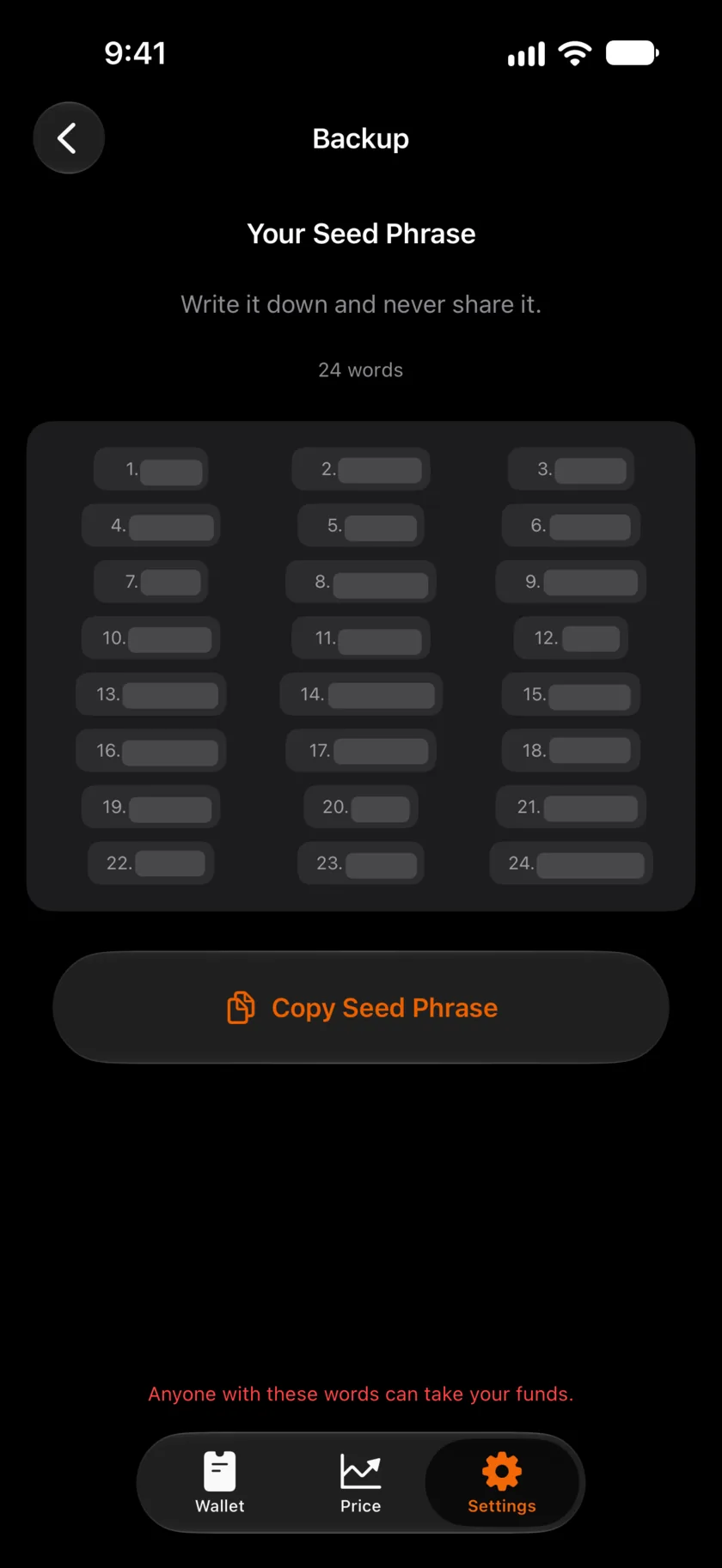
Monero One restores 24 words on iPhone and Android. The Monero docs describe three seed formats: Legacy, MyMonero and Polyseed. BIP39 is not one of them, so another app can turn the same 24 words into different keys.
To move a Monero One wallet to another app, use its 25-word Legacy form. Open Settings, tap Backup Seed Phrase and enter your PIN. Then pick Legacy (25 words). Cake Wallet, Feather, Monerujo and the Monero GUI all restore 25 words. After the restore, check that the address matches.
16 Words: Polyseed
Polyseed is the newer Monero format. Its 16 words also store the approximate date you created the wallet, so a restore starts scanning near that date.
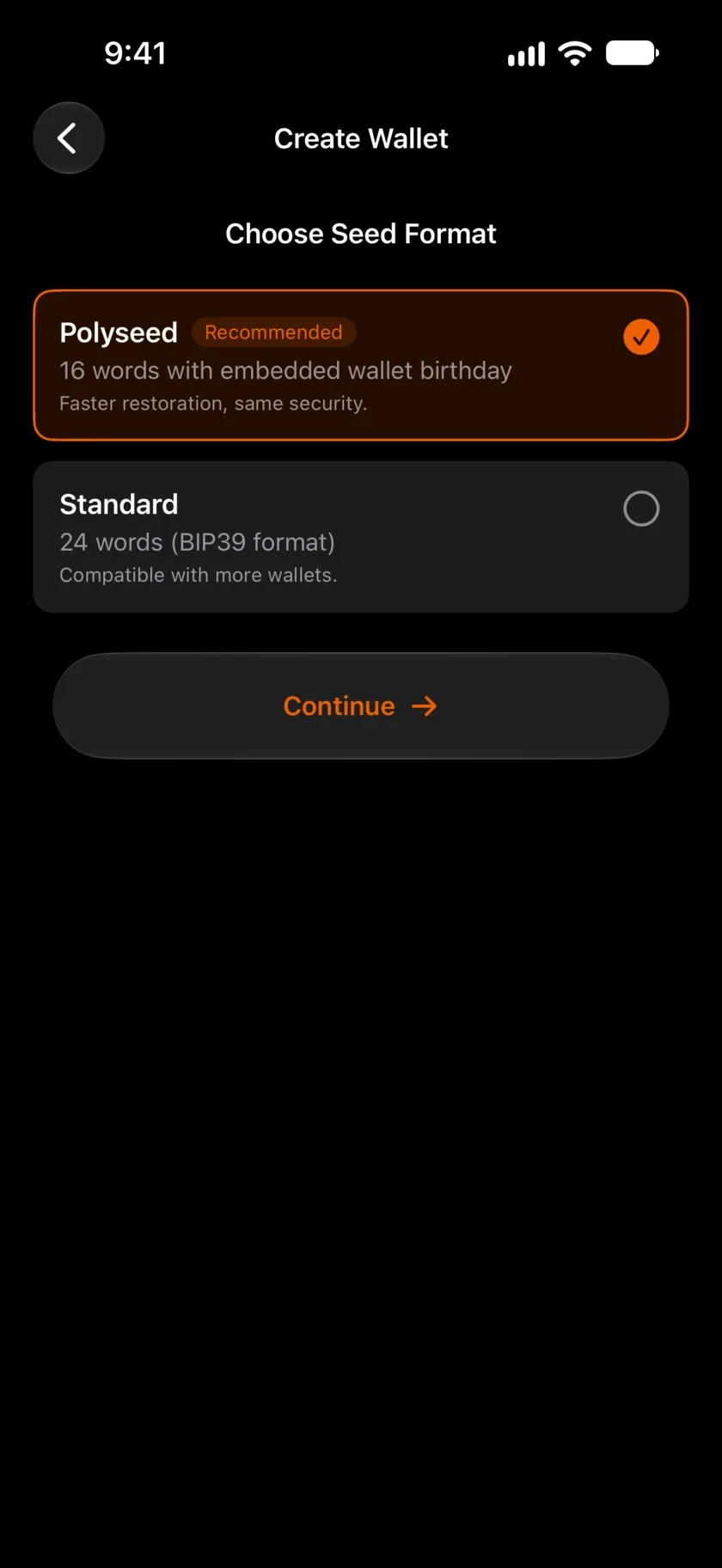
Monero One for iPhone makes Polyseed seeds and marks them Recommended. Cake Wallet makes them by default, and Feather makes them too.
Monero One for iPhone and Android, Cake Wallet and Feather restore Polyseed. Monero One for Android does not make Polyseed seeds. New Android wallets get 24 words.
Moving a Polyseed wallet from iPhone to Android? Restore the same 16 words on Android. The seed stores its date, so you do not pick a restore date.
14 Words: Old Feather Seeds
Feather versions before 2.0 made 14-word seeds. Feather says it will support restoring them indefinitely, so restore a 14-word seed in Feather.
13 Words: MyMonero
Some MyMonero wallets have 13 words: 12 words plus a checksum word. The Monero docs say MyMonero turns these words into keys in a different way from Legacy seeds. A wallet that reads Legacy seeds gets different keys from them.
Monero One cannot restore 13-word seeds. Keep the words on paper, offline. Never type them into a website or an online converter. Our MyMonero guide has the details.
12 Words: BIP39 or a Multi-Coin Phrase
A 12-word phrase is usually BIP39. Cake Wallet can make a 12-word BIP39 seed for Monero, and it restores one. If Cake Wallet made your 12 words, restore them in Cake Wallet.
Many multi-coin apps use one 12-word phrase for all your coins. Exodus is one. Exodus Desktop also shows the same Monero wallet as a 25-word mnemonic, and Monero One restores those 25 words. If your 12 words came from another multi-coin app, check that app's own help pages for how it stored Monero. Our Exodus guide shows where to find the 25 words.
Passphrases and Seed Offsets
Some wallets let you add a passphrase to your seed, also called a seed offset. Legacy and Polyseed seeds both support one. The Monero docs explain that the passphrase changes the keys, while the words stay the same.
So the words plus the passphrase open one wallet, and the words alone open a different one. Cake Wallet offers a seed passphrase under Advanced Settings. Monerujo calls its seed offsets "offset passphrases."
Monero One restores seeds without a passphrase. If you added one in another wallet, restore the seed there.
Hardware Wallet Seeds
A hardware wallet, such as a Trezor or a Ledger, has its own recovery words. Those words belong with the device. To restore them, follow the maker's steps for a hardware wallet. Never type them into a phone wallet app or a website. That puts your keys on a connected device and removes the protection the hardware wallet gives.
Monero One for iPhone pairs with a Trezor Safe 7 over Bluetooth. You confirm each send on the Trezor.
FAQ
How many words is a Monero seed?
It depends on the wallet. Legacy seeds have 25 words, Polyseed seeds have 16 and MyMonero's short seeds have 13. Some wallets use 24-word or 12-word BIP39 seeds, and old Feather seeds have 14.
Can I restore a 12-word seed in Monero One?
No. Monero One restores 16, 24 and 25-word seeds on iPhone and Android. Restore a 12-word Monero seed in the wallet that made it. Exodus no longer supports Monero, so for an Exodus phrase, follow our Exodus guide.
Is it safe to convert my seed on a website?
No. A seed typed into a website can be stolen, and the thief can take your XMR. Restore your seed only in a wallet app on your own device.
My restored wallet shows a different address. What went wrong?
The words, the word count or the passphrase differ from the original. Check each word against your paper, count again, and add the passphrase if you used one. A BIP39 seed can also open a different wallet in a different app, so restore it in the app that made it. If the address matches and the balance shows zero, read our guide to a Monero balance that shows zero after a restore.
New to Monero One? The FAQ covers the basics. Our guide to the best Monero wallets compares the apps named here.
Sources
Read on October 17, 2026. The Monerujo and Monero project pages were read on October 28, 2026.
- Monero docs: seed formats, Legacy, Polyseed, MyMonero
- Cake Wallet docs: Monero, restore from seed or keys, migrate from Exodus, migrate from MyMonero
- Exodus: help article on Monero
- Feather docs: seed scheme
- Monerujo: offset passphrases explained, mini manual, source code
- Monero project: Moneropedia on the mnemonic seed, restore a wallet from its seed in the GUI or CLI
- Monero One: iPhone source code, Android source code